
As my VPS subscription was approaching its end, I decided to switch to another provider. While at it, I thought to myself: why not switch Linux distro as well?
Upgrading Almalinux
First, I updated the current one to its latest
# dnf update
# reboot
Then I tried the version upgrade
# dnf install http://repo.almalinux.org/elevate/elevate-release-latest-el$(rpm --eval %rhel).noarch.rpm
# dnf install leapp-upgrade leapp-data-almalinux
# leapp preupgrade
This appeared:
. . . .
Upgrade has been inhibited due to the following problems:
    1. Minimum memory requirements for RHEL 10 are not met
    2. Legacy network configuration found
. . . .
Seemed I couldn't move forward with what I have...
Well, if it's the memory issue, perhaps adding swap would help.
# dd if=/dev/zero of=/swapfile bs=1M count=4k
# chmod 600 /swapfile
# mkswap /swapfile
# swapon /swapfile
Now for the moment of truth...
# leapp preupgrade
. . . .
Upgrade has been inhibited due to the following problems:
    1. Minimum memory requirements for RHEL 10 are not met
    2. Legacy network configuration found
. . . .
Nevermind...
# dnf remove elevate-release leapp-upgrade leapp-data-almalinux
#dnf install curl wget zip
I'm doing it myself!
# dnf --releasever=10 --allowerasing install https://repo.almalinux.org/almalinux/almalinux-gpg-keys-latest-10.x86_64.rpm
# dnf --releasever=10 --allowerasing update

GPG Keys are configured as: file:///etc/pki/rpm-gpg/RPM-GPG-KEY-AlmaLinux-9
# grep RPM-GPG-KEY-AlmaLinux-9 -r /etc
/etc/yum.repos.d/almalinux-appstream.repo:gpgkey=file:///etc/pki/rpm-gpg/RPM-GPG-KEY-AlmaLinux-9
# curl https://repo.almalinux.org/almalinux/RPM-GPG-KEY-AlmaLinux-10 -o /etc/pki/rpm-gpg/RPM-GPG-KEY-AlmaLinux-10
# sed 's/RPM-GPG-KEY-AlmaLinux-9/RPM-GPG-KEY-AlmaLinux-10/' /etc/yum.repos.d/*
# dnf --releasever=10 --allowerading update
yum-4.20.0-12.el10_0.alma.1.noarch.rpm: Already downloaded
AlmaLinux 10 - AppStream 1.6 MB/s | 1.6 kB 00:00
Importing GPG key 0xC2A1E572:
Userid : "AlmaLinux OS 10 <packager@almalinux.org>"
Fingerprint: EE6D B7B9 8F5B F5ED D9DA 0DE5 DEE5 C11C C2A1 E572
From : /etc/pki/rpm-gpg/RPM-GPG-KEY-AlmaLinux-10
Is this ok [y/N]: y
. . . .
# cat /etc/os-release
NAME="AlmaLinux"
VERSION="10.0 (Purple Lion)"
. . . .Success!
Now, into the fun part.
Setting Up The Blog
I have documented my previous setup in this article. I'm going to do more or less the same, but instead of having it on Debian, I'm having it on Almalinux.
Installing Packages
I installed all the necessary packages by running:
# dnf install nginx php-fpm php-curl php-gd php-mbstring php-xml php-zip php-pecl-apcu mailboxThe program for generating SSL certificates, certbot, is not available on the main repo, but instead on EPEL. I simply enabled the repo with:
# dnf install epel-releaseThen I installed certbot with:
# dnf install python3-certbot-nginxConfiguration
I first ran the certbot command before changing anything.
certbot certonly --nginx -d timkenhan.coI've done some modifications to the nginx config here, and after looking thru the initial configs on my new Almalinux server, I noticed that some stuff need adapting.
I mean, I could've just replaced the entire /etc/nginx/, but what's the fun in that?
One noticable difference is that there is no sites-available and sites-enabled. Everything is in conf.d.
I left the nginx.conf alone this time as it has almost all of the stuff I need. For those it doesn't have, I decided to put it in a separate .conf file this time.
gzip on;
gzip_types text/plain text/css application/json application/javascript text/xml application/xml application/xml+rss text/javascript;
For the site config's content itself, it's mostly the same, except for the fastcgi_pass, for which the PHP's socket resides in /var/run/php-fpm/www.sock instead of Debian's /var/run/php/php-fpm.sock.
fastcgi_pass unix:/var/run/php-fpm/www.sock;I also had to change the SELinux security context of the files under the blog's source directory as described here.
# chcon -Rv system_u:object_r:httpd_sys_rw_content_t:s0 /srv/blog-src/Should work now!
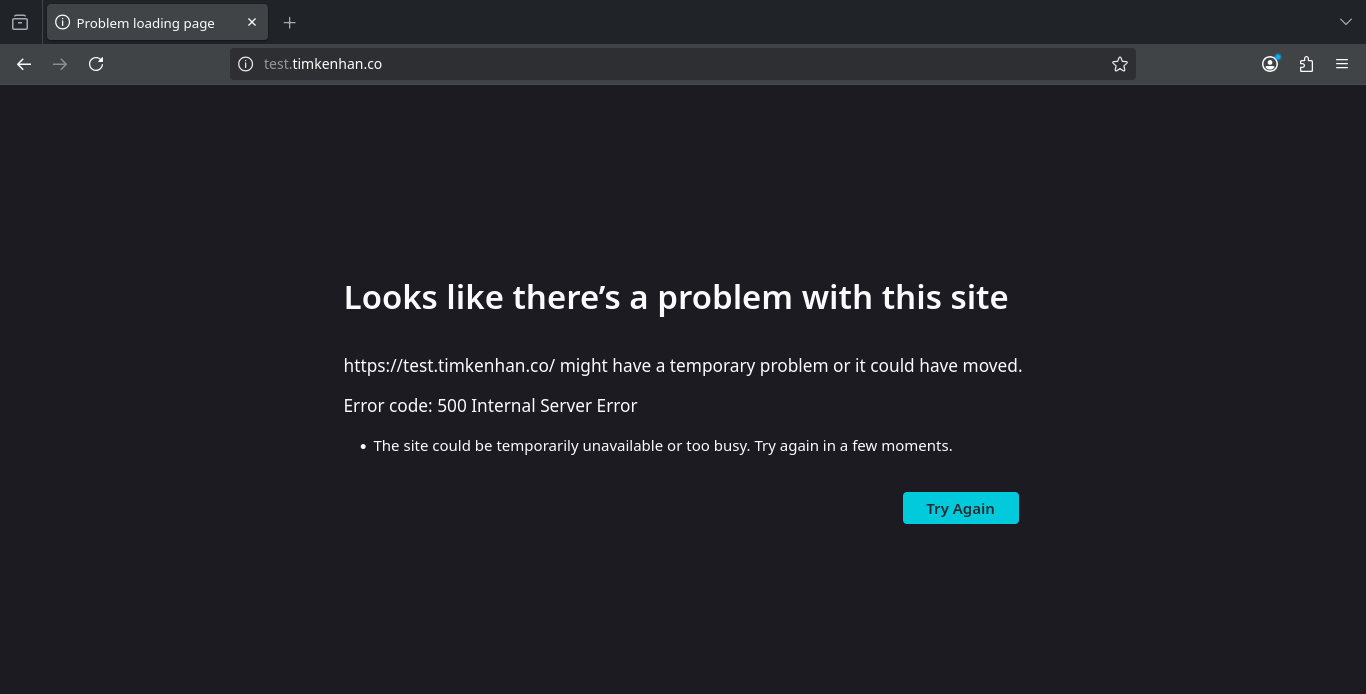
... or not.
From /var/log/php-fpm/www-error.log:
PHP Fatal error: Uncaught RuntimeException: Failed to save file /srv/blog-src/cache/compiled/blueprints/master-test.timkenhan.co.php in /srv/blog-src/vendor/rockettheme/toolbox/File/src/AbstractFile.php:374My guess was permission issue.
# ls /srv/blog-src/cache/compiled/blueprints/ -ld
drwxr-xr-x. 2 root root 6 Aug  9 18:52 /srv/blog-src/cache/compiled/blueprints/
It was permission issue.
After changing its ownership to apache:apache, everything runs smoothly.
Contact Form
I installed sendmail
# dnf install sendmailthen made a bit of change on my mailing config.
Upon submission...
🛑 Process failed with exit code 72: /etc/mail/sendmail.cf: line 0: cannot open: Permission deniedSomething's wrong. Apparently it was the SELinux permission.
$ getsebool httpd_can_sendmail
httpd_can_sendmail --> off
Apparently the web server does not have the permission out of the box. So I gave it with:
# setsebool httpd_can_sendmail=onStill not working. So I'm testing manually.
As another user, I tried sending a mail to my main one.
$ sendmail -v person@timkenhan.co
AAAAA
I finished the mail with a Ctrl-D (EOF character)
person@timkenhan.co... Connecting to [127.0.0.1] via relay...
person@timkenhan.co... Deferred: Connection refused by [127.0.0.1]
Turned out all I had to do was to enable the sendmail service.
# systemctl enable --now sendmailAnd it works now!
